BB DISPLAY CONCEPTS
Modular. Adaptable. Expandable.
Behind a door. In your hand. On your wrist. Beside your controller.
Conceptual art. Final product may vary.
One black-and-copper design family, with room to choose how you use it. We are exploring 2.8-inch and 3.5-inch handheld or wrist cases, a removable onboard data-bay dock, and a 7-inch portable monitor or controller HUD.
FIRST PRODUCTION RELEASE / INTERFACE POLISH PLANNEDA clearer face for your droid.
Copper-outline icon buttons, matching orange page arrows and the clearer name Droid Diags are planned for the first Production release. The visual polish comes first; enclosure designs, display firmware and advanced hardware remain separate development work.
Touch-display page 1: Network, ESP Boards, Droid Diags, Power. Media and Sounds move to the top of page 2. Display Settings is being tested with grid or single-row buttons, Portrait or Landscape orientation, and a Screensaver option.
Orientation and touch mapping still need physical checks on each display. Current member downloads are not changed by this announcement.
IN DEVELOPMENT / PHONE & TABLET PREVIEWYour phone can be a BB Display, too.
Choose a compact display experience or the full software dashboard. BB Display mode is being developed with large menu buttons, matching colors, connection status and cycling telemetry. It is another way into the same modular build—alongside dedicated 2.8-inch, 3.5-inch and 7-inch screens.
A browser device does not replace the Network Cortex. Live hardware features depend on the configured gateway, permissions and connected boards.
Modular. Adaptable. Expandable.
Build today. Grow into tomorrow.
“The list is as long as the possibilities—endless.”
—BigBob
One build. Many directions. Upcoming work includes richer display choices, configurable telemetry, sensor modules, camera views, an interactive 360-degree demo, media improvements and protected remote supervision.
In development: BB Display mode and display refinements. Hardware testing: Cortex communication, sensor integration and camera workflows. Future direction: manual driving → assisted driving → autonomous navigation.
This is a preview of the roadmap, not a list of released capabilities. Availability, compatible hardware and release timing will be confirmed in each update. Safety fixes and essential setup improvements come first.
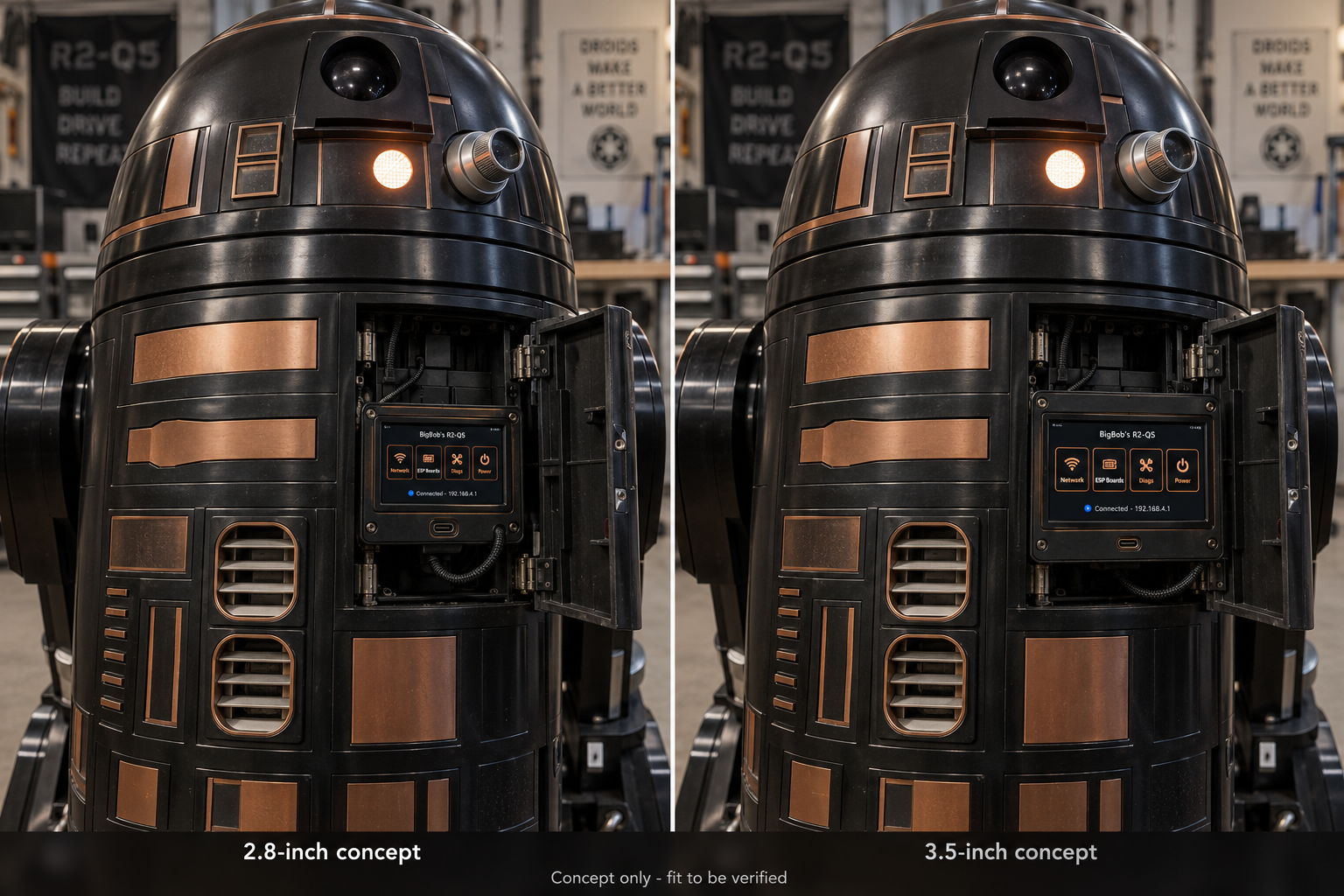
Conceptual art. Final product may vary.
Open the door to your Network Cortex.
A removable, tethered display cassette behind the front data door. Compare the smaller 2.8-inch and larger 3.5-inch ideas.
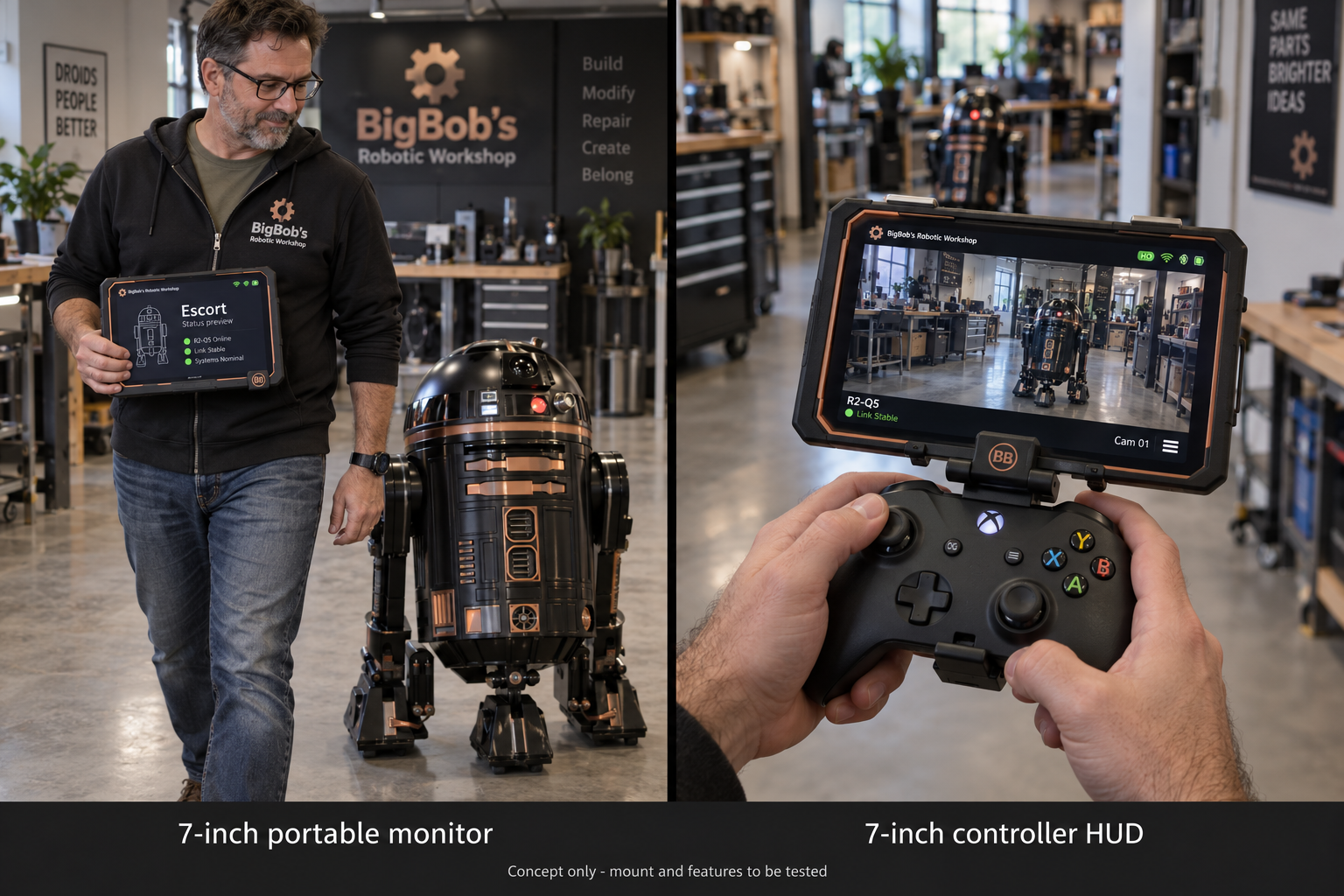
Conceptual art. Final product may vary.
A bigger window into your build.
The 7-inch concept works as a portable status monitor or a controller-mounted POV display. Escort behavior, live POV and mounts require testing.
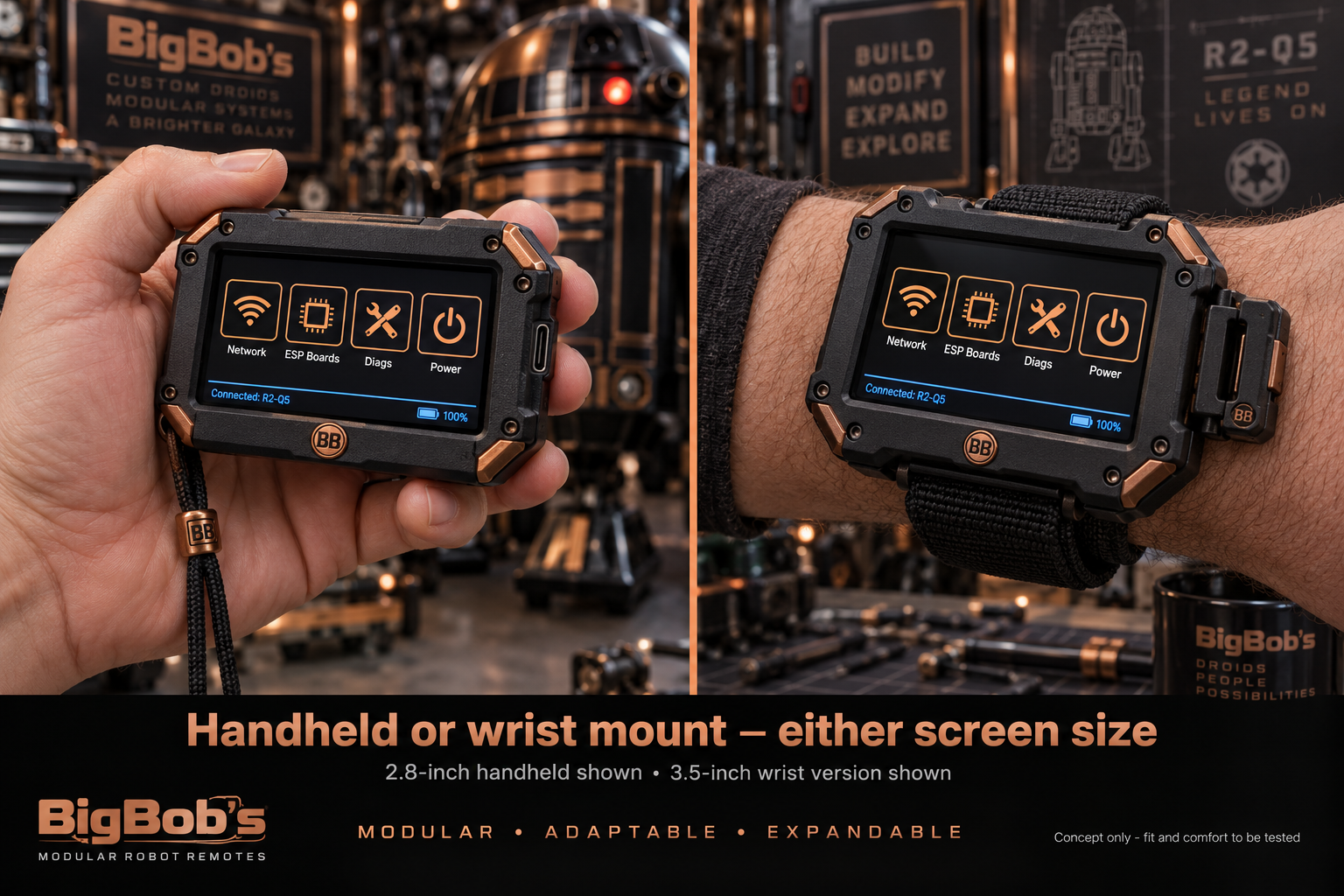
Conceptual art. Final product may vary.
Either mount. Either small screen.
A 2.8-inch handheld and 3.5-inch wrist version are shown. The design goal also supports a 2.8-inch wrist version or 3.5-inch handheld.
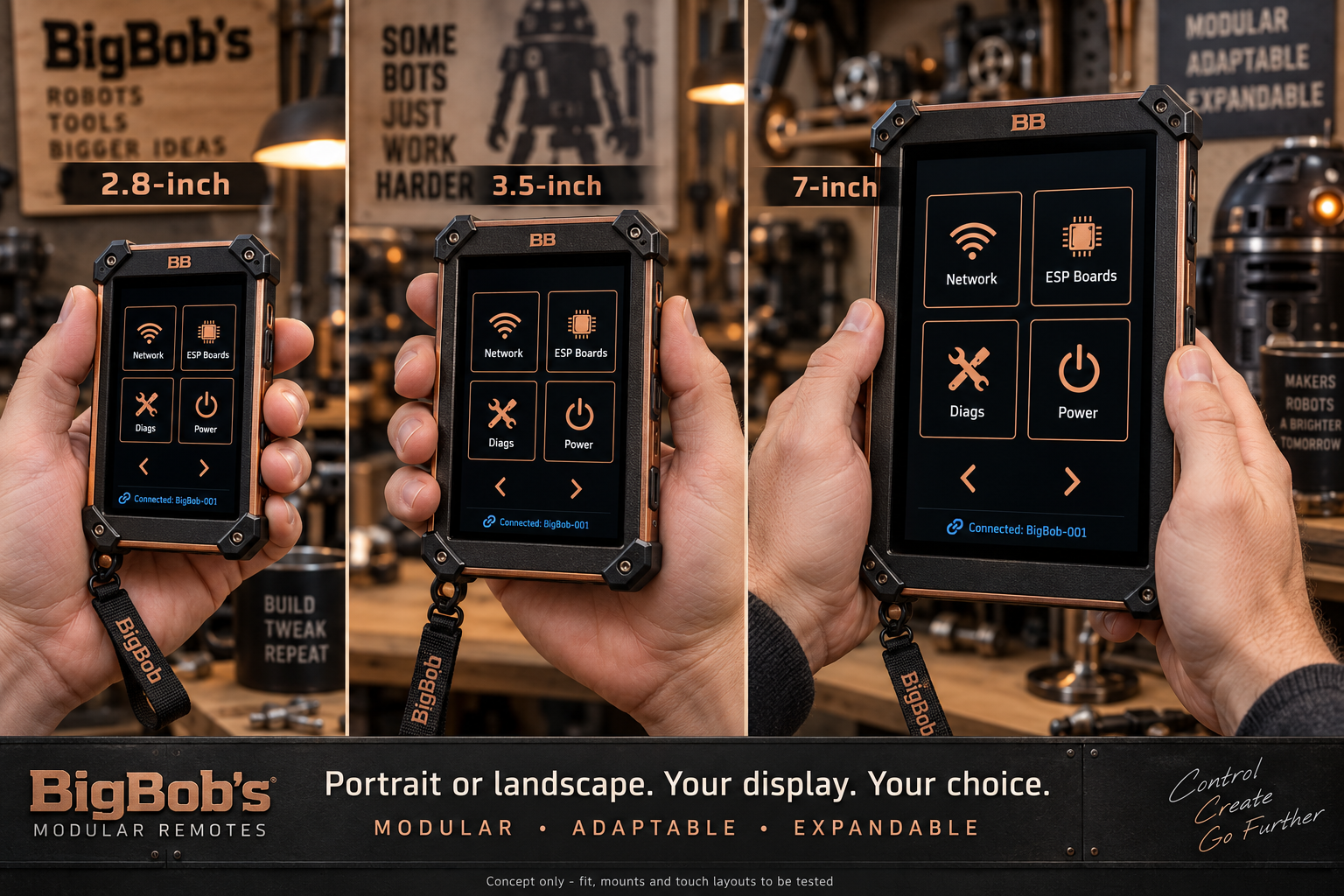
Conceptual art. Final product may vary.
Your display. Your choice.
Portrait handheld concepts across all three sizes, with Landscape as another Settings choice.
AI-generated design concepts, not photographs of finished products. Sizes, proportions, screen artwork and branding are illustrative. Final button wording is Droid Diags. Cases, connectors, comfort and mounting strength need fit testing. The 7-inch fit-test prototype meshes are prepared; smaller cases and member print packages are still in development.
The origin · The making · The people behind it
The Story Behind the Story
One real workshop. One imagined future. A droid build that became a world of its own.
BigBob’s project began with a practical idea: build an R2-Q5 and make it easier to control, configure and grow. Every round of feedback shaped the cockpit—from using screen space well to testing a controller, seeing a panel move and adding a new module.
Then came a second story: a missing uncle, a Red Barchetta, outlawed machines and a country shed filled with unfinished droid designs and a future still unwritten. In our original alternate-universe story, Bob starts as an independent maker. When the Solar Federation outlaws his work, keeping the workshop alive makes him a reluctant rebel.
His uncle’s original company was Barclay Automata Works. Explore its recovered archive to discover the machines and unfinished jobs Bob inherited.
Enter the Barclay Automata Works archive ↗
Two ways to open the story
The same 51-second opening, told through cinematic animation and live action. Both feature a text crawl without emphasized words, softer fades, a futuristic transition and an original progressive-rock score.
Cinematic animation
Warm, stylized adventure with a grounded workshop atmosphere.
Download animated cutLive-action interpretation
Weathered machinery, practical-looking props and dramatic light.
Download live-action cutThe Red Barchetta is modeled after a Ferrari 166 MM Touring Barchetta: an open two-seater with rounded fenders, an oval grille, low split windscreens and wire wheels. See the car reference. These are edited preview cuts. Incorrect generated motion has been removed; brief still holds preserve the approved car and droid details. The revised Q5 has a predominantly black body with copper accents, wheeled side legs, a center tripod leg, dome pie panels and two folding front utility arms. The canvas-covered Barchetta reveal returns in both versions. After the discovery, Bob closes the shed doors as a gleaming alloy patrol air car races past with flashing lights and a searching beam. The patrol might be looking for him and the laws he might be breaking; the opening leaves that uncertain. The generated mechanic remains a concept interpretation of Bob. Fictional history and future features are part of the creative vision, not a claim of Star Wars canon or completed hardware.
From the bench to the screen
- Build the real project. A responsive cockpit, controller mapping, visual diagnostics and configurable modules form the software foundation.
- Make the hardware talk. Body, Dome and camera work explores Bluetooth controller input, ESP-NOW communication, Wi-Fi camera access and firmware updates.
- Imagine what comes next. Unsupported accessories can be previewed in software so builders can explore an upgrade before installing it.
- Give the workshop a history. The opening turns the project’s themes—repair, independence and shared knowledge—into a fictional origin story.
The tools behind the work
- BigBob + ChatGPT/Codex: human direction, iterative design, coding assistance and troubleshooting.
- Runway: animated and live-action opening takes and the original instrumental score.
- HTML, CSS, JavaScript and SVG: the cockpit, interactive controls and animated diagnostics.
- Python, Pillow and FFmpeg: exact text-crawl rendering, editing, music transitions and video export.
- PlatformIO, Arduino/ESP-IDF and Bluepad32: firmware development and Bluetooth gamepad support. ESP-NOW and Wi-Fi connect the system’s parts.
- Playwright, GitHub and Sites: browser checks, source sharing and website publishing.
The effort behind the build
20.9 hoursrecorded GPT working time
30+ spoolsblack PETG used · owner-reported
~360 hourscombined printer-hours · estimated across 3 machines
Tracking nexthands-on build hours
GPT time totals 213 completed turns in this project chat since October 3, 2026. It measures elapsed work within those turns, including tools and in-turn waits; idle gaps and the current unfinished turn are excluded. It does not measure human attention or GPU compute time. Printing-time estimate: 30 rolls × Bob’s selected estimate of 12 hours per roll = 360 combined printer-hours across three machines. The Bambu Lab X1 Carbon did the bulk of the work, with some parts printed on the A1 Mini. The third machine is not identified and the workload was not evenly split. Simultaneous printing reduces elapsed calendar time, not combined printer-hours. This is an owner-selected estimate, not logged machine runtime. The 30+ spool report may represent more material than the 30 used in this calculation. Updated October 06, 2026 (Arizona). View metric definitions.
Explore the Bambu printer options
How much code went into it?
2,249physical source lines in this snapshot
37selected current source files
2opening styles · three original music tracks
Source snapshot: October 6, 2026| Project area | Lines |
|---|
| Dashboard and interactive diagnostics | 520 |
| Body and Dome firmware | 342 |
| Camera integration | 197 |
| Local hardware services and updates | 718 |
| Website and media production | 376 |
| Verification scripts | 96 |
Counted once per selected current file, including comments and blank lines. The dashboard is counted as its assembled HTML/JavaScript source; its component copies are not added again. Older builds, synced copies, private backups, generated binaries and third-party libraries/SDKs are excluded. Minified source can place many statements on a single line. This is a reproducible source-size snapshot, not a measure of hours, complexity or total lifetime revisions. View the exact file list and counts.
The sound of a workshop waking up
Three original music tracks bring the project to life: the opening score and two tracks you can play in the Live Demo’s Sounds menu.
Beyond the Signal
The original opening score: chiming guitars, melodic bass, live-style drums and a dramatic build into the reveal. The opening uses an edited excerpt; hear the full track here.
Workshop Groove
One of the two original music selections in the Live Demo. Listen here or choose Workshop Groove in the Sounds menu.
Space March
The other original music selection in the Live Demo. Listen here or choose Space March in the Sounds menu.